
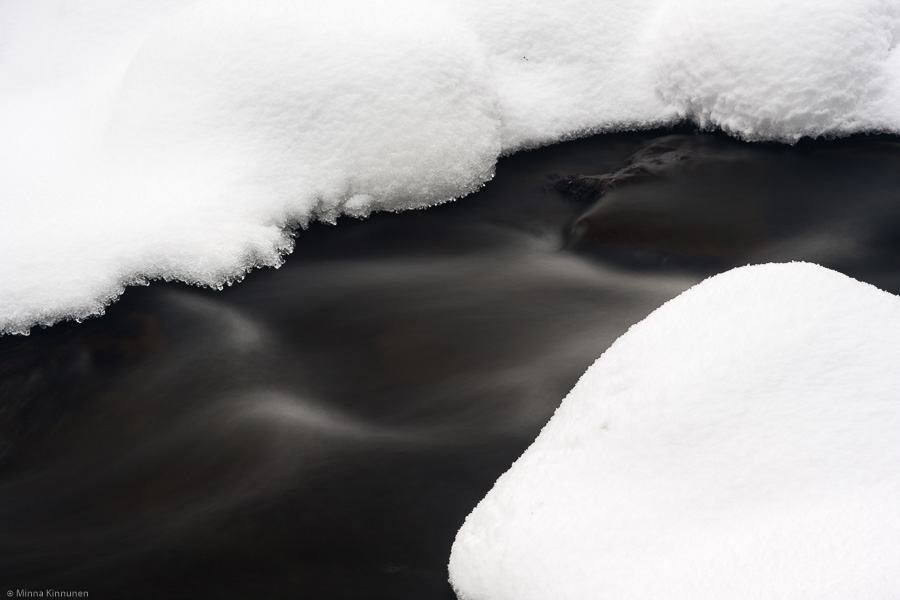
My wish kind of came through, it snowed at night but the decoration on the trees is still on the wrong side of pretty so I took my chances with some open water instead. Nothing special out of that, either, but at least I got to wade in the knee deep snow and get my socks wet so the morning wasn’t completely wasted.
* * *
I have a small informal photo exhibition coming up in April. I’m only going to display A4 size pictures which means that I can print them myself, and since I had nothing better to do today, I decided to print those pictures now instead of waiting until the last minute. As much as I love Lightroom, I’ve never taken the time to figure out how the Print module works so I’ve done my printing from other software. I have always struggled to get the colour right, it feels like I have to do two test prints for every proper print before I get the colour and levels even in the ballpark. But now that I tried printing from LR, I found that it works much better and I had no major issues with the colour or exposure, very nice!

The problems started when I came across a picture with a very tight crop. My passepartout is sized for 19x29cm and with the tight crop, I couldn’t afford to let any pixels flow outside these dimensions. For single frame printing, Lightroom has two settings, Margins and Cell Size. I’ve no idea what the margins are used for because they were doing nothing for me, but the cell size is all the more critical. So I sized my cell to 19×29 and printed and… it came out borderless. WTF? I even read the manual but it didn’t tell me anything I hadn’t already figured out myself. I searched on the Internet and all I could find is instructions on how to remove a white border, but nothing about adding it (and no, the problem is not solved by reversing those instructions). In the end I had no other option but to take the picture to Photoshop, add a white border there and then print from LR to get the colours right.
Having thus done all my exhibition pictures, I concentrated on this cell size issue. I created a test image with the same dimensions as my 40D RAWs and started with a 10x15cm cell size printed on A4. It came out perfect. I then increased the size in 2×3 cm steps up to 18×27 and they all came out the right size. But after that, I hit the critical mass. I started making millimetre adjustments and I found that everything up to 18.27×27.4cm works. But add 1 mm to 18.33×27.5 and suddenly the print no longer fits the A4.
I just can’t figure it out… A4 is 21×29.7cm, so if I wanted to print my 40D photo on A4 without cropping it, I should be able to use dimensions 19.8×29.7cm. I’m not a genius at math, but I’m fairly sure that 18.33×27.5cm is smaller than that.
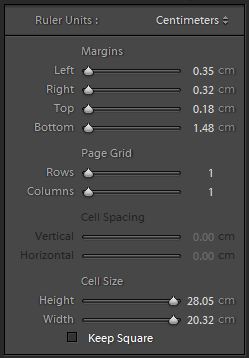
It’s not an issue with printer settings. I use Borderless A4 and the results are perfect until the critical mass. If I select normal A4, Lightroom bollocks up the margin settings and I can’t change them. I’ve tried with both LR3 and 4 beta, it’s the same thing.
Is this a printer bug or a Lightroom bug? Because if it isn’t a bug, then this print module is the least intuitive software interface I’ve ever come across. And considering that I work in IT, I’ve come across a whole lot of counter-intuitive software…
Lämna ett svar